
2026-07-02•6 min read
GitHub Codespaces iPad Keyboard Shortcuts Guide
Master every VS Code keyboard shortcut on iPadOS with Apple Magic Keyboard or Smart Keyboard, resolve iPadOS key conflicts, and boost your cloud coding speed.
Pierre PerrinRead→
The native cloud developer environment built for iPad.
Run VS Code, GitHub Codespaces, and remote developer environments on your iPad. A native client designed with full keyboard shortcuts, Face ID lock, and distraction-free fullscreen focus.
Spacing Placeholder
We only email you when your waitlist invite is ready—no newsletters or spam.
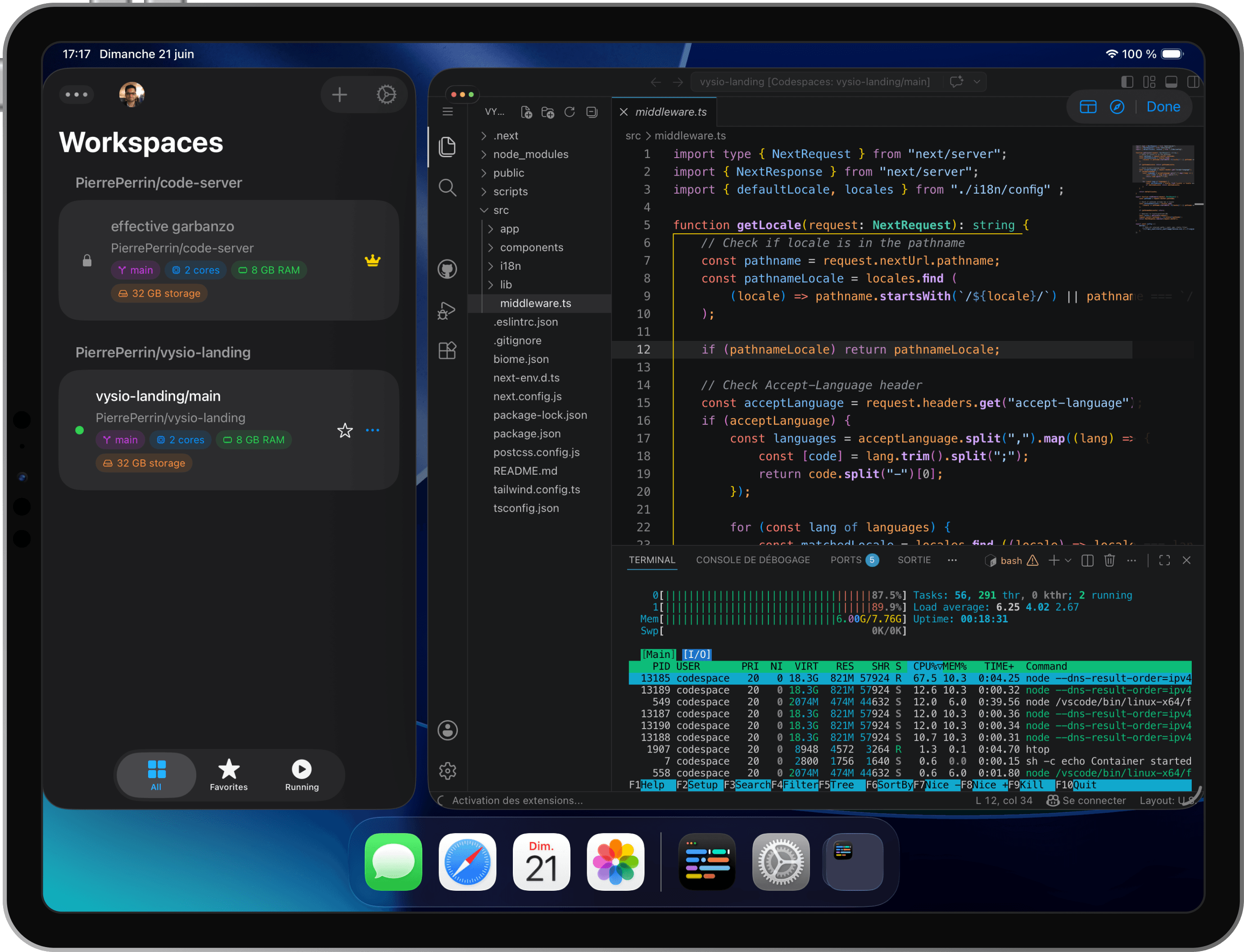
Vysio blends the efficiency of a native dashboard with a secure, sandboxed client built for modern cloud workspaces.
Lose the browser tabs and address bars. Run a fullscreen workspace optimized for Magic Keyboard shortcuts, gestures, trackpad controls, and touch interface.
Manage your GitHub Codespaces directly. Spin up, stop, restart, or delete workspaces from a native list with zero intermediate servers.
Protect your sessions and code. Store GitHub tokens securely in the Apple Keychain, protected by Face ID, Touch ID, or your iPad passcode.
Standard mobile browsers restrict dev productivity. Vysio is custom-engineered to bypass iOS WebKit limitations.
| Feature | Safari / Chrome | Vysio App |
|---|---|---|
| Keyboard Passthrough | Intercepted by OS (e.g. Cmd+W closes browser, Cmd+T opens tab) | Full passthrough to IDE (Cmd+W closes editor tab, Cmd+P runs command palette) |
| Device Standby | iPad sleeps after idle time, dropping container connection | Automatic wake-lock keeps connections active during long tasks |
| Credential Storage | Stored in cookies/localstorage, subject to automatic iOS deletion | Direct Apple Keychain encryption secured by Face ID / Touch ID |
| Screen Real Estate | Cluttered by URL address bar, tabs, and iOS overlays | Edge-to-edge native fullscreen with custom keyboard-ready viewport |
| Codespaces Lifecycle | Must log in, navigate GitHub, and manually boot web containers | Start, stop, and configure Codespaces in a native dashboard list |
Everything you need to launch, customize, and extend your iPad development workflow.
Pre-configured Docker Compose starter kits for code-server and Tailscale, specifically tuned for iPadOS touch & keyboard layouts.
Shape the future of Vysio alongside our developer community. Request features, vote on the roadmap, and report iPad bugs directly on GitHub.
Vysio connects your iPad directly to your cloud developer environments, combining native OS integrations with terminal and editor keyboard layouts.
Authenticate directly with GitHub via PKCE OAuth. Your tokens are stored securely in the local Apple Keychain, never on third-party servers.
View, search, and manage your active, sleeping, or stopped development environments in a native dashboard.
Launch into your workspace with zero-latency fullscreen. Your session is restored instantly with screen wake-lock to prevent sleeping.
Everything you need to know about Vysio and remote iPad development.
Insights on cloud development, workflows, and building for iPadOS.
Master every VS Code keyboard shortcut on iPadOS with Apple Magic Keyboard or Smart Keyboard, resolve iPadOS key conflicts, and boost your cloud coding speed.
A comprehensive developer guide to the best coding setup on iPad Pro in 2026: comparing GitHub Codespaces + Vysio, Blink Shell, CodeApp, Gitpod, and WebContainers.
A practical look at why Safari gets in the way of Codespaces on iPad, and what Vysio does differently with shortcuts, screen wake, and credentials.
Join the waiting list to receive your early access invite and be the first to build on iPad.
Spacing Placeholder
We only email you when your waitlist invite is ready—no newsletters or spam.